


If you’ve ever pressed the power button on your computer and nothing happened, you know how frustrating it can be. Whether it’s a completely dead system or a device that powers on but shows no display, this issue is more common than you might think. In this comprehensive guide on my computer won’t turn on solutions we’ll walk you through step-by-step fixes, causes, and prevention tips—all optimized to help you solve the problem quickly.
What Does “My Computer Won’t Turn On” Mean?
Before diving into my computer won’t turn on solutions it’s important to understand what “not turning on” actually means. It can fall into several categories:
- No power at all (no lights, no fans)
- Power on but no display
- Computer turns on briefly, then shuts off
- Boot failure or stuck on loading screen
Each of these scenarios has different causes and solutions, which we will explore in detail.
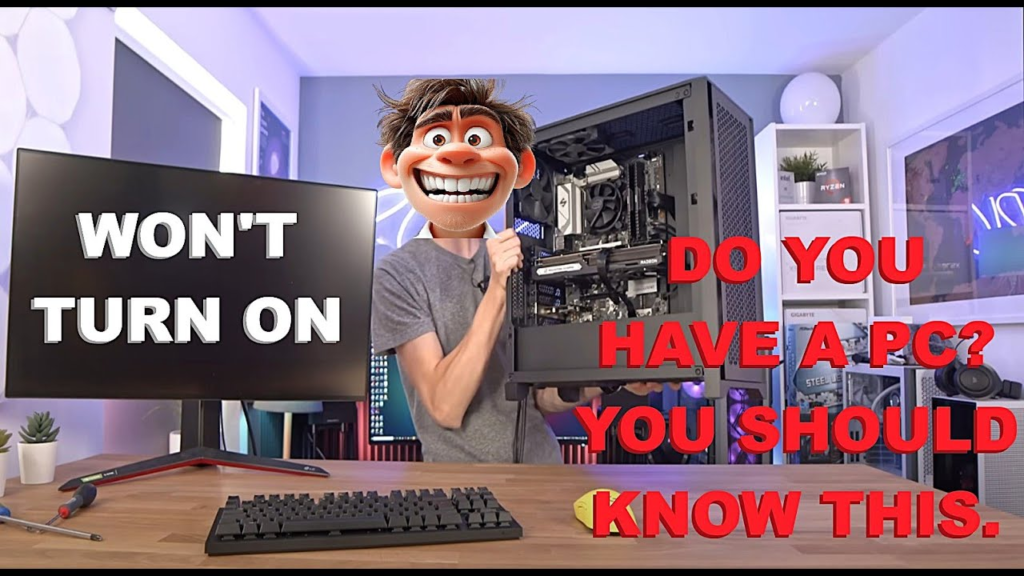
Common Causes Behind “My Computer Won’t Turn On”
Understanding the root cause is key to applying the right my computer won’t turn on solutions. Here are the most common reasons:
1. Power Supply Issues
A faulty or disconnected power source is the most frequent cause.
2. Battery Problems (Laptops)
Dead or damaged batteries can prevent startup.
3. Hardware Failures
RAM, motherboard, or CPU issues may stop your system from powering on.
4. Overheating
Excessive heat can trigger automatic shutdowns or prevent booting.
5. Software or OS Errors
Corrupted system files can cause boot failure.
6. External Device Conflicts
USB devices or peripherals may interfere with startup.
My Computer Won’t Turn On Solutions (Basic Checks)
Start with these simple troubleshooting steps before moving to advanced fixes.
1. Check the Power Source
- Ensure the power cable is plugged in securely
- Test the outlet with another device
- Try a different power cable
2. Inspect Power Indicators
- Look for LED lights on the motherboard or laptop
- Listen for fan noise
If there’s no sign of life, the issue is likely power-related.
3. Perform a Power Reset
One of the easiest my computer won’t turn on solutions:
Steps:
- Unplug the computer
- Remove the battery (if possible)
- Hold the power button for 15–30 seconds
- Reconnect and try again
My Computer Won’t Turn On Solutions for Desktop PCs
Desktop computers have specific components that may fail. Let’s go deeper.
1. Check the Power Supply Unit (PSU)
- Ensure the PSU switch is ON
- Listen for PSU fan activity
- Test with a known working PSU
2. Inspect Internal Connections
Loose cables inside the case can prevent startup.
Check:
- Motherboard power connectors
- CPU power cable
- GPU connections
3. Test RAM Modules
Faulty RAM can stop your PC from booting.
Solution:
- Remove and reseat RAM sticks
- Try booting with one stick at a time
4. Check the Motherboard
Signs of motherboard failure:
- Burn marks
- Swollen capacitors
- No response despite working PSU
My Computer Won’t Turn On Solutions for Laptops
Laptop troubleshooting differs slightly due to compact hardware.
1. Remove External Accessories
Disconnect:
- USB drives
- External keyboards
- Chargers (then reconnect)
2. Try Without Battery
- Remove the battery
- Plug in the charger
- Attempt to power on
3. Check Charging Port
Loose or damaged charging ports can prevent power delivery.
4. Screen vs Power Issue
Sometimes the laptop is on, but the display is not working.
Test:
- Connect to an external monitor
My Computer Won’t Turn On Solutions When There’s Power but No Display
If your system powers on but shows a black screen, try these:
1. Check Monitor and Cables
- Ensure the monitor is turned on
- Verify HDMI/DisplayPort connections
2. Reset Graphics Card
- Remove and reseat GPU
- Try onboard graphics (if available)
3. BIOS Reset
Resetting BIOS can fix display issues.
Steps:
- Remove CMOS battery for 5 minutes
- Reinsert and restart
My Computer Won’t Turn On Solutions for Boot Issues
If your computer turns on but doesn’t load the operating system:
1. Enter Safe Mode
- Restart and press F8 or Shift + Restart
- Select Safe Mode
2. Use Startup Repair
Windows users can:
- Boot into recovery mode
- Select “Startup Repair”
3. Reinstall Operating System
As a last resort, reinstall your OS to fix corrupted files.
Advanced My Computer Won’t Turn On Solutions
If basic troubleshooting fails, try these advanced fixes.
1. Check for Short Circuits
- Ensure no loose screws inside the case
- Test motherboard outside the case
2. Use POST Beep Codes
Motherboards emit beep codes indicating errors.
- No beep = PSU or motherboard issue
- Continuous beeping = RAM problem
3. Replace Faulty Components
You may need to replace:
- PSU
- RAM
- Motherboard
- CPU
When to Seek Professional Help
Not all my computer won’t turn on solutions can be done at home. Consider expert help if:
- You smell burning or see smoke
- The motherboard appears damaged
- You’re unsure about hardware replacement
- The system is under warranty
Preventing Future Power Issues
Prevention is better than repair. Follow these tips:
1. Use a Surge Protector
Protect your system from voltage spikes.
2. Keep Your PC Clean
Dust buildup can cause overheating.
3. Update Software Regularly
Keep your OS and drivers updated.
4. Avoid Overheating
- Ensure proper ventilation
- Use cooling pads for laptops
5. Handle Hardware Carefully
Avoid dropping or mishandling your device.
Frequently Asked Questions (FAQs)
Why won’t my computer turn on even when plugged in?
This could be due to a faulty power supply, damaged cable, or motherboard issue.
Can a dead battery stop a laptop from turning on?
Yes, especially if the laptop doesn’t receive power from the charger.
How do I know if my PSU is dead?
No fan movement, no lights, and no response are key indicators.
Is it worth repairing a computer that won’t turn on?
It depends on the cost of repair versus replacement.
Final Thoughts on My Computer Won’t Turn On Solutions
Dealing with a non-responsive computer can be stressful, but most problems have straightforward fixes. By following this complete guide on my computer won’t turn on solutions, you can identify the root cause and apply the right troubleshooting steps.
Start with basic checks like power connections and resets, then move toward more advanced solutions if needed. Whether you’re using a desktop or laptop, these methods will help you get your system back up and running.
If all else fails, don’t hesitate to consult a professional technician. A quick diagnosis can save time and prevent further damage.
